Published
- 6 min read
Level Up Your Typing With Typing Genius
Typing quickly and accurately is a super power in a world where most of our work happens on a keyboard. People who type well can answer emails, finish assignments and write articles in far less time than those who struggle. Typing Genius is a free web‑based tutor that helps beginners and intermediates build muscle memory and accuracy through structured lessons. This guide walks through the platform’s top features, shares research‑based tips and explains how you can use Typing Genius to reach your typing goals.
A Look at the Lesson Map
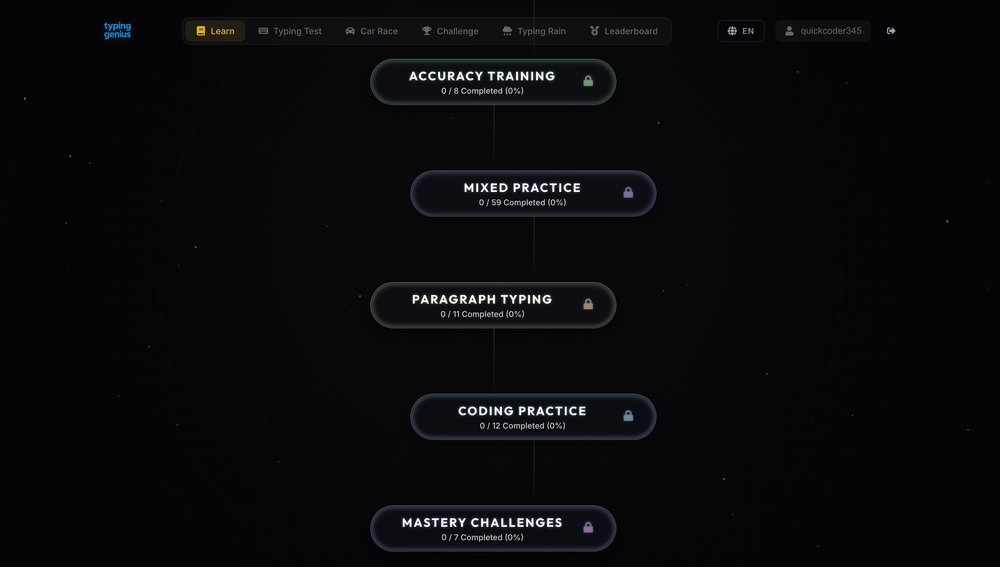
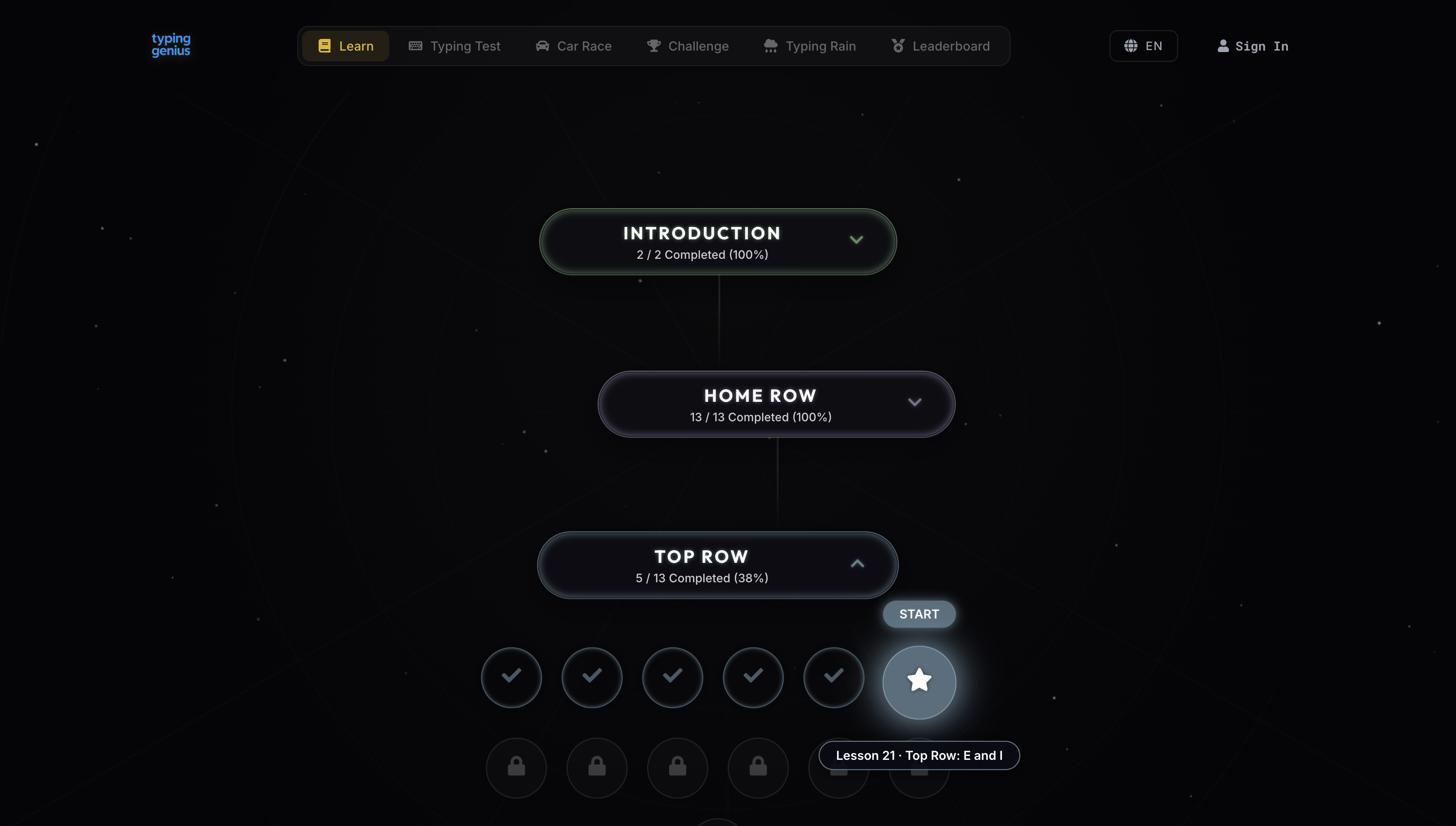
When you first open Typing Genius you are greeted by an elegant lesson map (shown below). It starts with short “Introduction” drills, moves on to a full Home Row course and then opens the Top Row. Each course shows how many lessons you’ve completed. Finished sections are highlighted, while locked sections remain dark until you hit the required benchmarks. This progression system keeps you motivated to return and finish new drills.
Why the Home Row Comes First
Research on touch typing consistently shows that anchoring your fingers on the middle row of the keyboard reduces how far they have to travel[1]. Keeping your fingers on the home row also speeds up your words per minute and reduces hand strain[2]. Typing Genius starts with this foundation. By teaching you where to place each finger and prompting you to return to the home row after every keystroke, it helps you build muscle memory from the beginning. A good home row habit pays off later when you move to higher rows.
Inside a Top Row Lesson
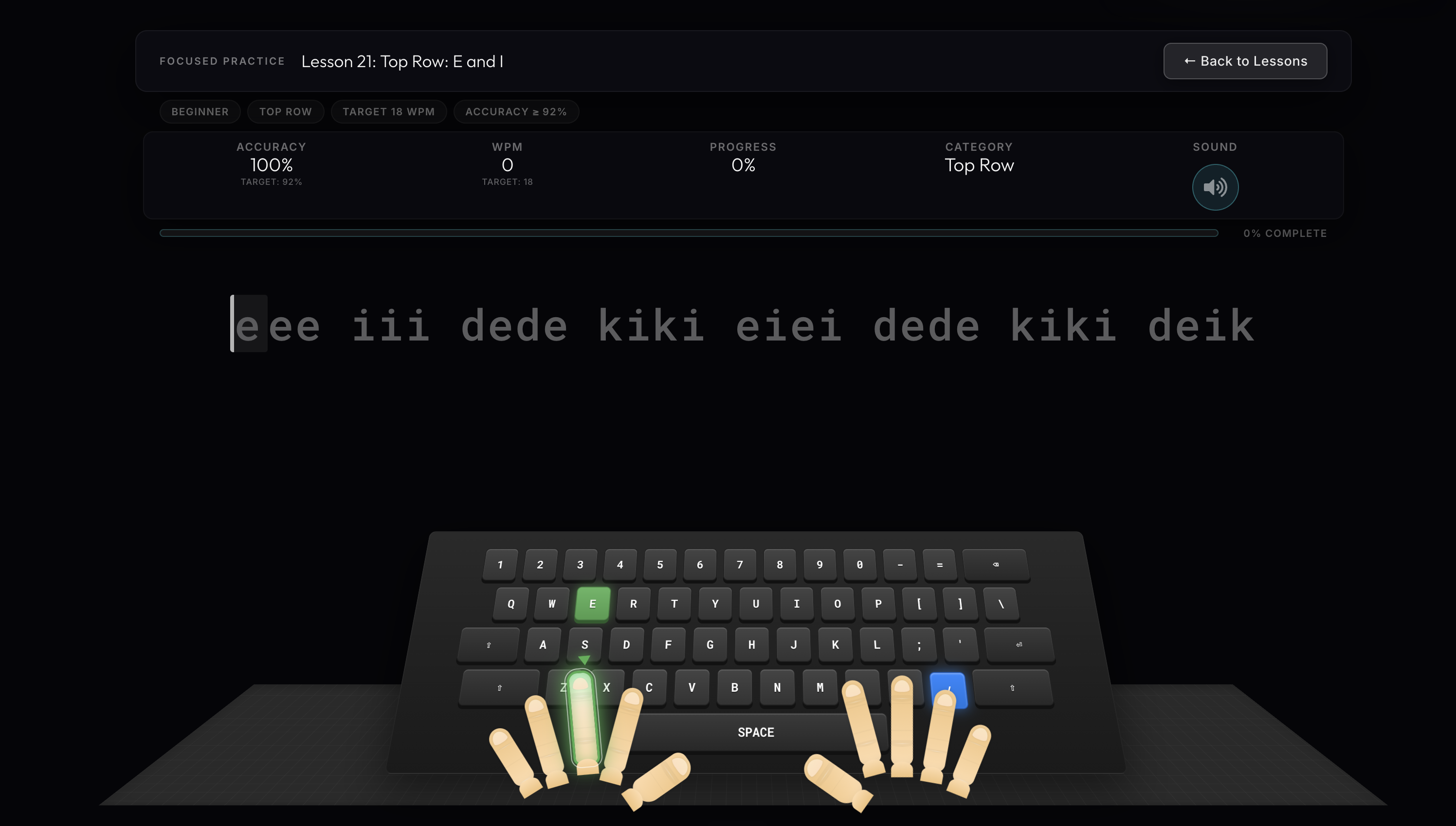
Once you finish the home row course you unlock the Top Row lessons. The screenshot below is from Lesson 21: Top Row — E and I. At the top of the lesson you see target values for accuracy and words per minute (WPM), and as you type your current stats update in real time. The lesson also tracks your progress through the exercise with a progress bar.
Real‑Time Feedback
During the exercise Typing Genius highlights the current letter on a virtual keyboard and indicates which finger should press it. In the example above the letter E is highlighted in green. The platform uses animated hands to show proper finger placement, which reinforces the techniques taught in earlier lessons. When you make a mistake you hear a gentle sound and the error is marked so you can correct your rhythm without breaking concentration.
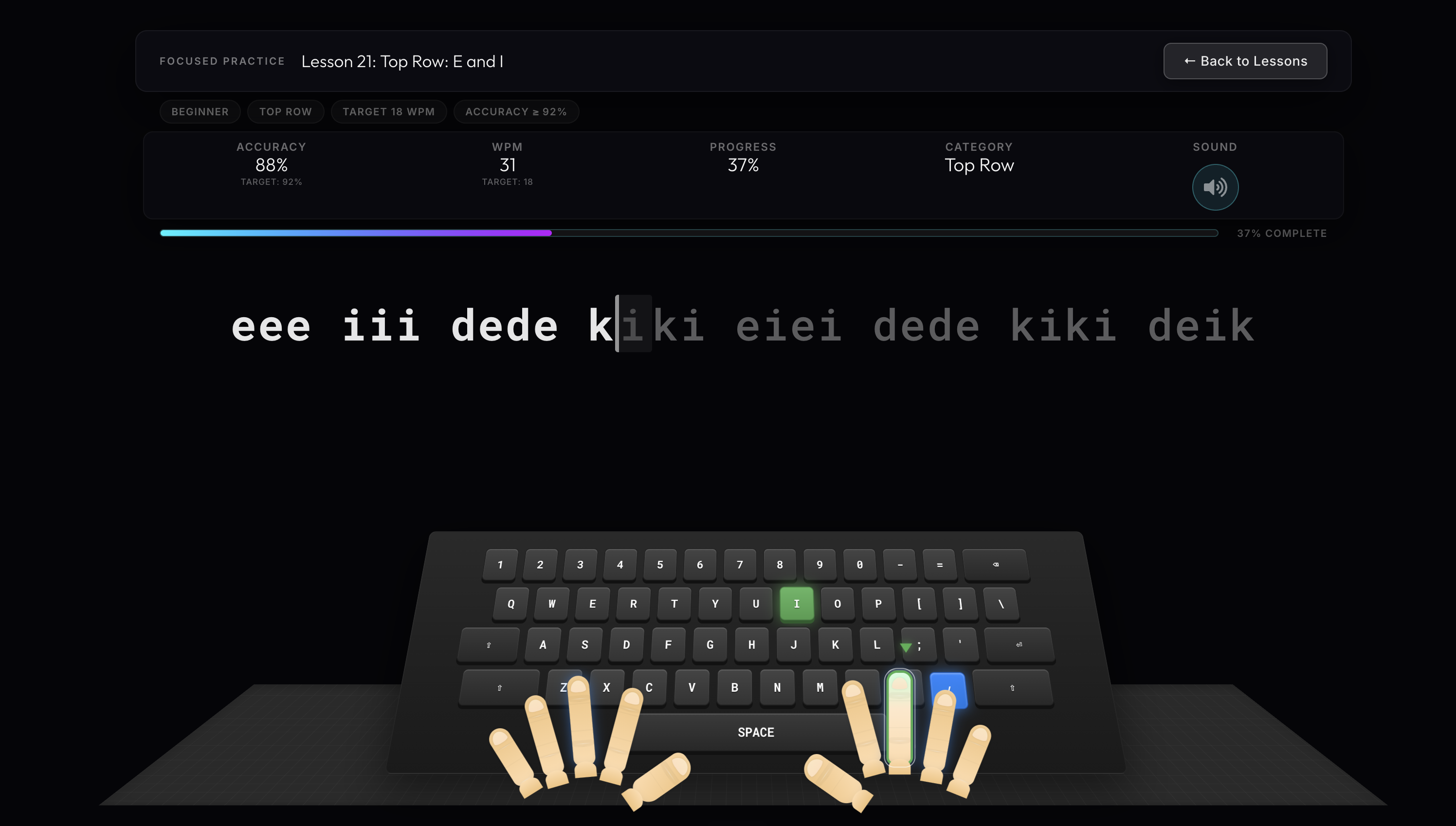
As you continue typing the progress bar grows and your statistics change. The next screenshot shows the same lesson at 37 % completion. Accuracy has dropped slightly while WPM has increased, demonstrating how live metrics help you balance speed and precision.
How These Metrics Help You Improve
Tracking performance is vital for improvement. A science‑backed guide notes that you need to know both your WPM and accuracy to set a clear baseline and monitor progress[3]. Typing tests and lessons that display WPM and accuracy give you concrete targets to work toward[4]. Setting SMART goals such as “increase WPM from 40 to 60 while maintaining 95 % accuracy” keeps practice focused[5]. Typing Genius incorporates these ideas by showing targets at the start of every lesson and updating your real‑time results as you type.
The Science Behind Touch Typing
Effective typing technique isn’t about memorising random sequences — it’s about positioning your hands correctly and building muscle memory. Placing your fingers on the home row keys (ASDF JKL;) with relaxed wrists ensures that each finger covers a specific zone, creating smooth and efficient motion[6]. Using all ten fingers leads to much higher speeds than typing with just a few fingers[7], and focusing on accuracy before speed helps prevent bad habits[8]. These findings support Typing Genius’ approach of teaching one row at a time, highlighting the correct finger for each key and encouraging you to slow down when your accuracy dips.
Benefits of Home Row and Top Row Practice
Home row training isn’t just for beginners. Practicing words and sequences built from this row develops strong muscle memory, making it easier to reach other keys without looking at the keyboard[9]. It also reduces hand movement and improves accuracy[10]. Typing tests that focus on a specific row help you identify weak finger transitions and uneven rhythms[11]. They can also boost your motivation by showing steady improvements in speed and accuracy over time[12]. Because Typing Genius tracks every keystroke and provides immediate feedback, it serves as both a training ground and an assessment tool.
How to Get the Most Out of Typing Genius
Start with the Introduction and Home Row courses. Learn the correct finger positions and resist the urge to look down at your keyboard. Use the visual aids and follow the animated hands.
Set realistic goals. Use the target WPM and accuracy values as benchmarks, but remember that improvement takes time. Breaking a large goal into smaller milestones keeps you motivated[13].
Practice regularly. Short, focused sessions of 10–15 minutes are more effective than marathon drills. Many users find it helpful to return to previous lessons to solidify skills.
Focus on accuracy. Slow down when you notice your accuracy dropping. Research shows that building precise muscle memory first leads to higher speeds later[8].
Use multiple texts. Once you feel comfortable with the drills, supplement your practice with typing games, emails or code snippets to apply your skills in real‑world contexts[14].
Feature Summary
| Feature | Description | Benefit |
|---|---|---|
| Progress map | Visual course progression | Keeps learners motivated |
| Real‑time WPM & accuracy | Shows current speed and precision | Helps set and adjust goals |
| Target benchmarks | Displays goal WPM and accuracy | Encourages SMART goal setting |
| Interactive keyboard | Highlights keys and fingers | Reinforces correct technique |
| Animated hands | Guides finger movement visually | Builds muscle memory |
| Row‑specific lessons | Focuses on Home Row and Top Row | Develops foundational skills |
| Audio feedback | Plays sounds on mistakes | Alerts you without breaking flow |
| Detailed analytics | Tracks lesson completion and progress | Identifies strengths and weaknesses |
Final Thoughts
Typing Genius shines because it combines research‑backed methods with a sleek, motivating design. By starting with the home row and gradually adding more keys, it helps you develop muscle memory in a logical order. Real‑time feedback lets you see your current performance and adjust on the fly, and the progression map gives a sense of accomplishment as you unlock new lessons. Whether you’re preparing for an exam or simply want to write faster at work, a structured program like Typing Genius can get you there.
By investing a few minutes each day in targeted practice and tracking your metrics, you’ll soon notice your fingers gliding across the keyboard with ease. The journey to better typing doesn’t happen overnight, but with tools like Typing Genius and a focus on accuracy and proper technique, you’ll build a skill that pays dividends for life.
References
[1] [2] [4] Typing Efficiency: Mastering the Home Row Technique | TypeTest.io Blog https://typetest.io/blog/posts/2025-03-28-typing-efficiency-mastering-the-home-row-technique.html
[3] [5] [6] [7] [8] [13] [14] How to Improve Typing Speed: A Science-Backed Playbook for Professional Performance | Whisperit https://whisperit.ai/blog/improve-typing-speed-science-backed-playbook-professional
[9] [10] [11] [12] Home Row Typing Test - Easy & Unique [TM’s Special Lessons] https://typingmentor.com/articles/home-row-typing-test/