Published
- 7 min read
Master the Keyboard: Improve Typing Speed and Accuracy with Typing Genius
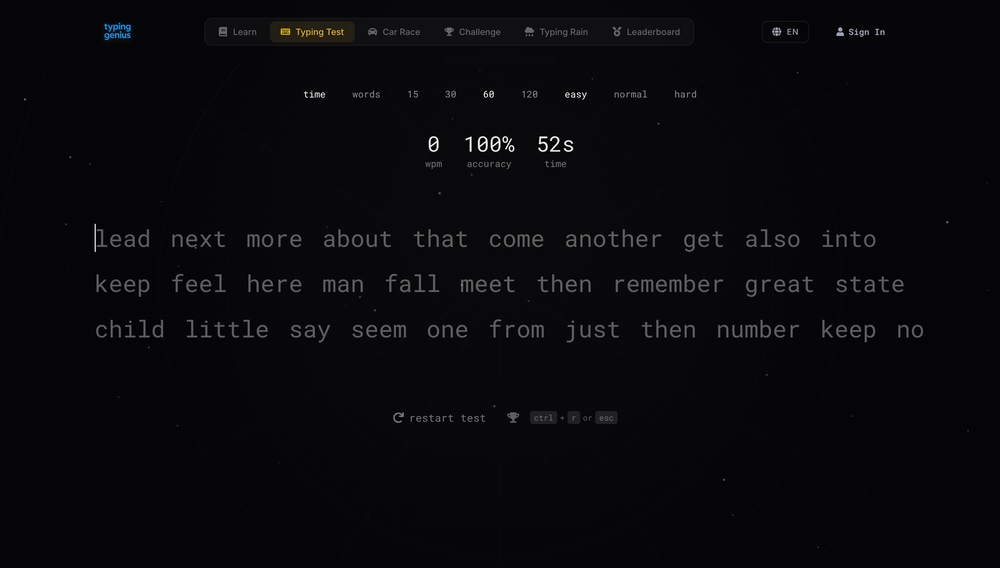
Typing fast isn’t just a party trick – it’s a core workplace skill. Whether you’re sending emails or writing reports, a higher words‑per‑minute (WPM) means you get more done with less stress. While many websites promise to help you type faster, Typing Genius stands out because it turns practice into an engaging game. Below is a look at how the platform works, which features make it unique and how you can use it to sharpen both speed and accuracy.
What Is Typing Genius?
Typing Genius is an online typing platform that combines timed tests with fun modes such as Car Race, Challenge and Typing Rain. These modes gamify practice, making it feel less like homework and more like a video game. You can take quick tests that last 15, 30, 60 or 120 seconds and select an easy, normal or hard difficulty. The words appear in large, high‑contrast text so you never strain to see what comes next. Beginners can start with slow, short sessions, while advanced typists can bump up the length and complexity.
A Test Screen That Doesn’t Distract
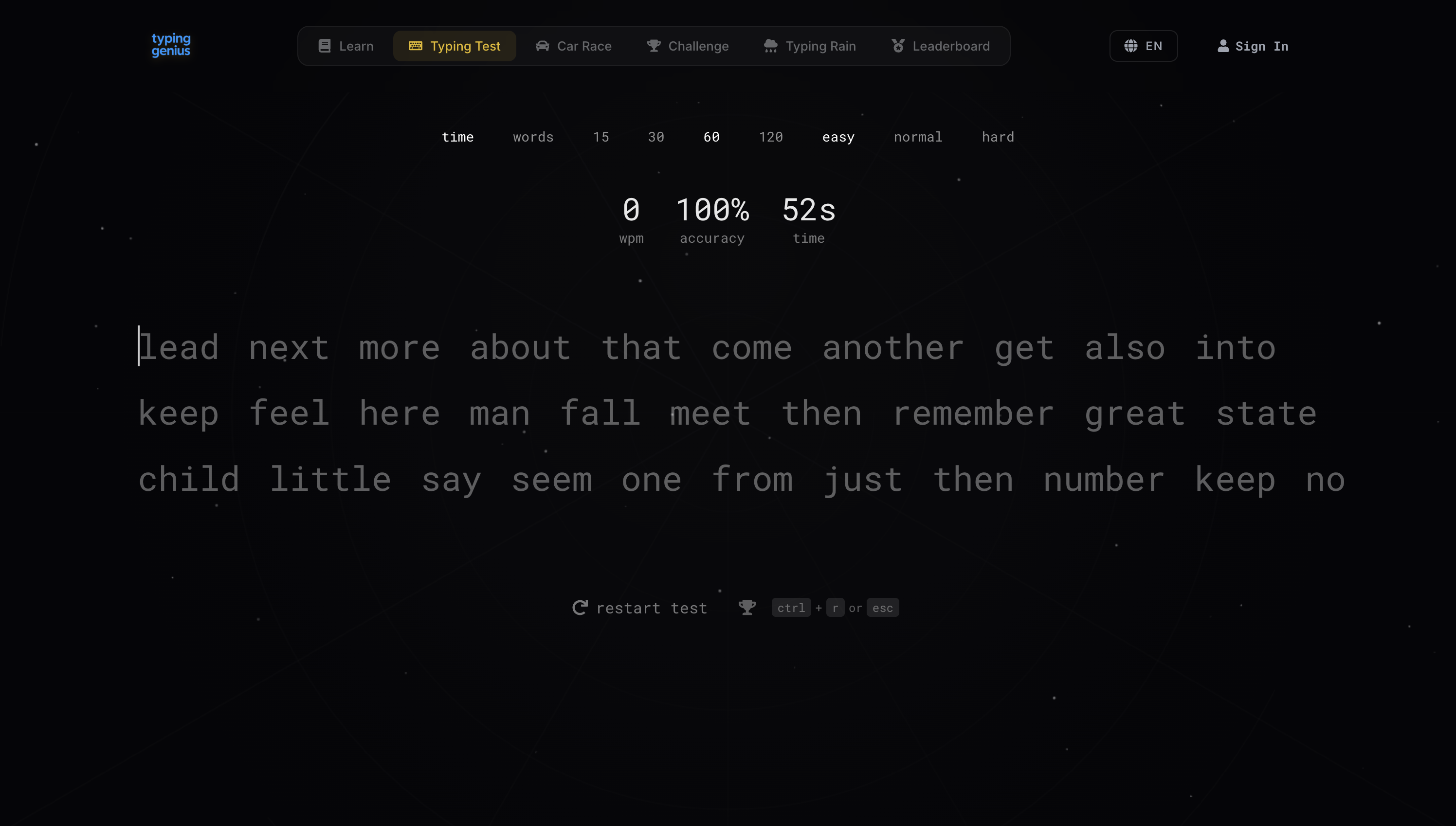
The interface is dark, minimalistic and free from pop‑ups. At the top you can choose your timer and difficulty. A central dashboard keeps track of your WPM, accuracy and the time remaining. Since you don’t have to look around the screen for stats, you can keep your eyes on the text and your hands on the keyboard. This setup helps build muscle memory and reduces errors — a point that typing experts say is crucial for improving speed[1].
Taking a Typing Test: How It Works
You begin by clicking the Typing Test tab and choosing your desired duration and difficulty. When the timer starts the words appear in a single line across the middle of the screen. Each time you type a word correctly it fades to grey, and the next word lights up. If you mistype, the letter turns red – a subtle cue that encourages you to slow down and hit the right key before moving on. This feedback reinforces the widely‑recommended approach of prioritising accuracy over speed[2].
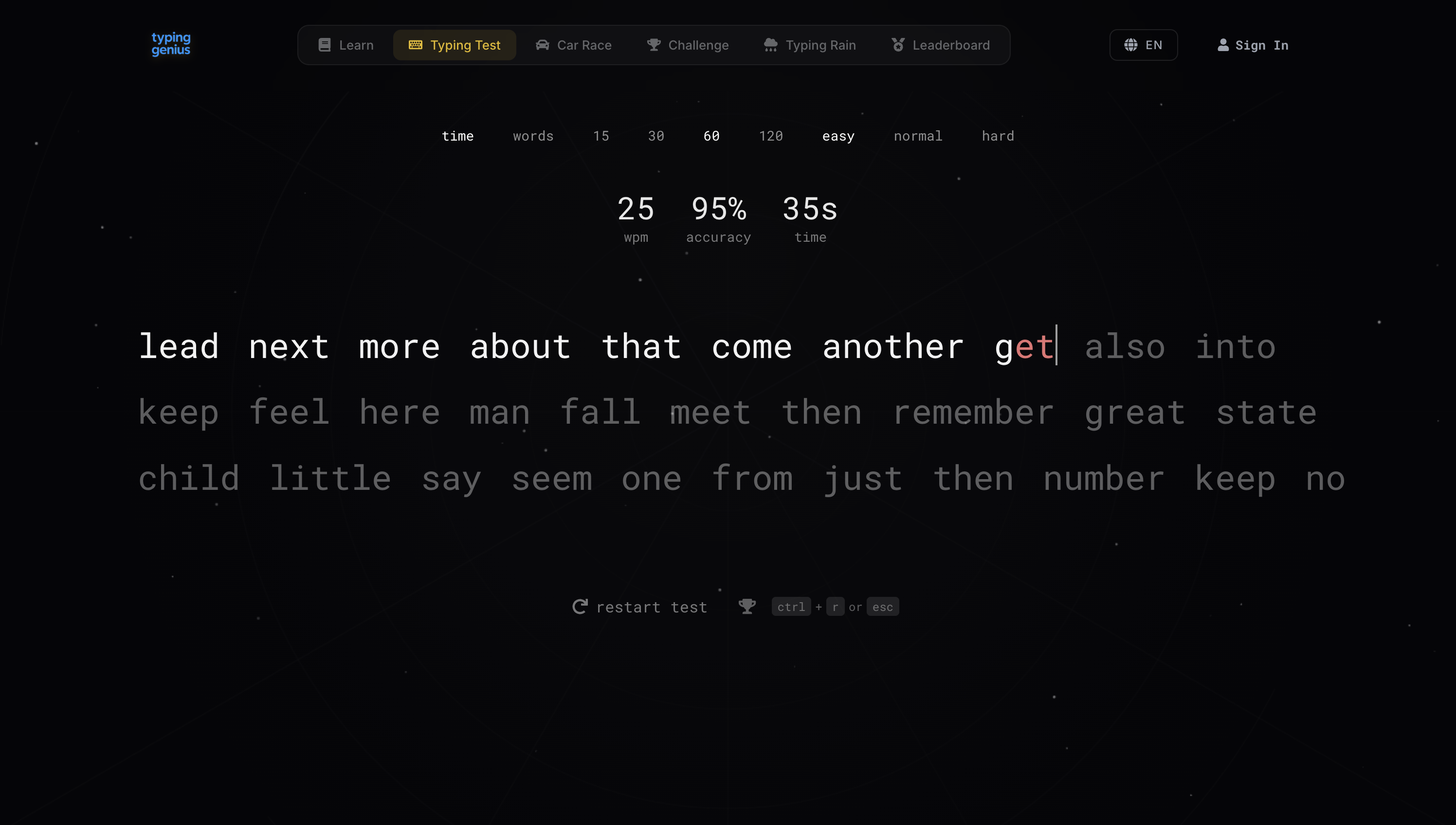
During the test the centre panel updates your WPM, accuracy percentage and remaining time every second. A 60‑second test on “easy” might start at 100 % accuracy when you type slowly. As you speed up your WPM climbs and your accuracy may dip. The goal is to find a balance where you maintain at least 95 % accuracy while gradually increasing speed – a target echoed by professional typing coaches[1].
After the Timer: Analyzing Your Results
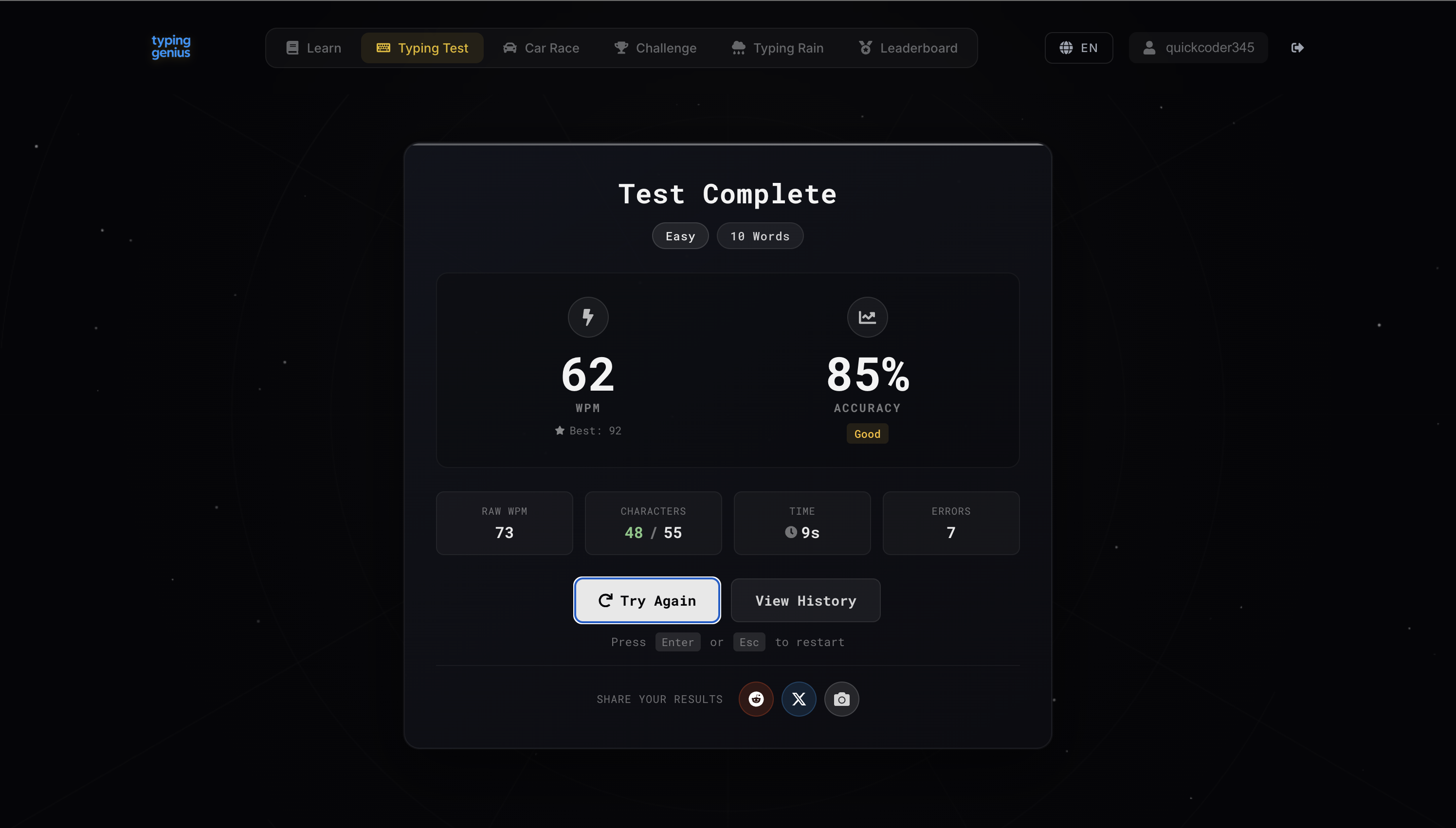
When the timer hits zero, Typing Genius displays a detailed results card. It shows:
- WPM: your adjusted speed based on accuracy.
- Raw WPM: how fast you typed without penalty for errors.
- Accuracy: the percentage of characters typed correctly.
- Characters: number of characters typed versus the total in the test.
- Time: how long the test lasted (useful when practicing shorter tests).
- Errors: total mistakes made.
You can instantly retake the test by pressing Enter or Esc. There’s also a View History button that opens your session log. Seeing detailed stats immediately after each session helps you set realistic goals – experts recommend increasing your speed in small increments[3] rather than making big jumps. Typing Genius makes that easy by giving you incremental benchmarks.
Tracking Your Progress Over Time
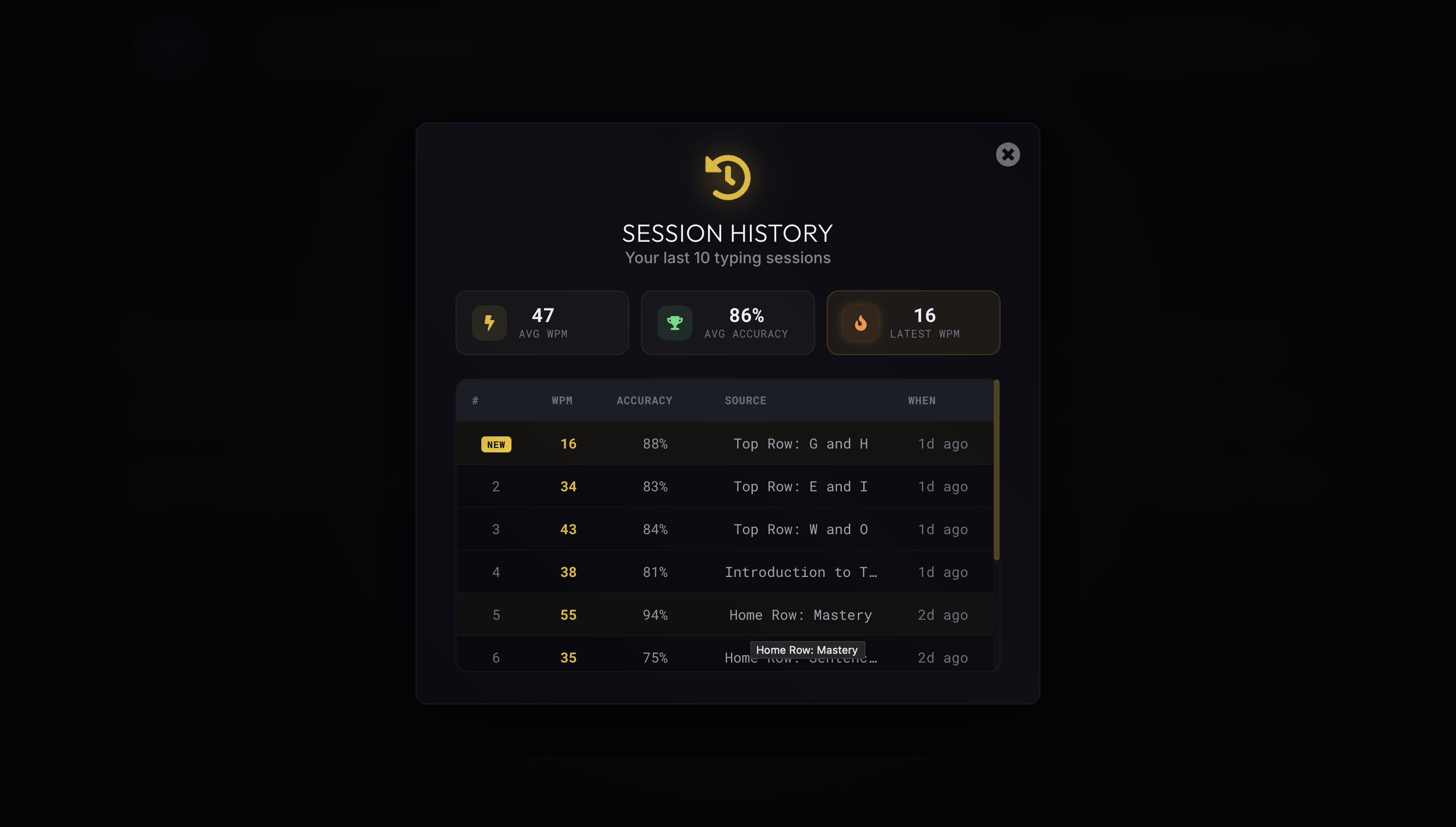
One of Typing Genius’s most useful features is the Session History. It records your last ten sessions with the following details:
- Session
- WPM
- Accuracy
- Source
- When
Latest 16 88 % Top Row: G and H 1 day ago 2 34 83 % Top Row: E and I 1 day ago 3 43 84 % Top Row: W and O 1 day ago 4 38 81 % Intro to Typing 1 day ago 5 55 94 % Home Row: Mastery 2 days ago
This table shows not only your speed and accuracy but also the specific lesson or game you used. If you’re focusing on the home row, you’ll see results labelled “Home Row: Mastery” or “Home Row: Sentence Practice.” Such targeted practice sessions are invaluable for building muscle memory[4]. You can quickly identify which exercises improved your speed and which need more work.
Tracking accuracy and WPM over time also reinforces good habits. Consistent practice – even just 15–30 minutes a day – is one of the most effective ways to improve[5]. Session History makes it easy to see whether that daily practice is paying off.
Other Modes and Features Worth Exploring
Beyond the standard typing test, Typing Genius includes several modes to keep things interesting:
- Car Race lets you race against friends or strangers. You earn speed boosts for accurate typing, making it a fun way to compete while reinforcing accuracy first.
- Challenge pits you against ghost records from the leaderboard. It adds pressure, which can help you adapt to real‑world typing tasks where you need to be quick and precise.
- Typing Rain drops words from the top of the screen like raindrops. You have to type them before they disappear, improving reaction time and focusing your attention.
- Leaderboard displays top scores across the community, giving you benchmarks to aim for.
- Interactive Lessons and Games: according to a software review of Typing Genius, the program includes interactive lessons on key placement, speed and accuracy, as well as typing games designed to make learning fun[6].
- Custom Practice Sessions: you can tailor sessions to focus on specific keys or speed goals[7].
- Progress Tracking and Multilingual Support: built‑in tools monitor your improvement and the software supports multiple languages[8].
These features mean Typing Genius isn’t just a test; it’s a complete learning environment. The variety keeps you engaged, and the data helps you stay on track.
Tips to Boost Your Typing Speed and Accuracy
Even with a great tool like Typing Genius, your improvement depends on good habits. Here are some evidence‑backed tips that align with guidance from professional typing coaches and occupational ergonomists:
- Focus on accuracy before speed. Trying to type quickly without strong muscle memory leads to errors, and correcting mistakes slows you down. Slow down until you can hit 95–98 % accuracy consistently[2]. Speed will naturally increase once accuracy becomes automatic.
- Test your current speed and set small goals. Use the Typing Genius test to establish a baseline, then aim to add just 5 WPM at a time[3]. Small, realistic targets keep you motivated.
- Practice without looking at the keyboard. Build muscle memory by learning touch typing techniques. Consistent practice from the home row position helps you locate keys by feel[9].
- Use targeted lessons and games. Focusing on specific key combinations – such as top‑row exercises – can improve finger agility and prepare you for unfamiliar words[10]. Typing Genius’s session types make this easy.
- Maintain proper posture and ergonomics. Sit up straight with your wrists straight and slightly elevated, and keep the keyboard at a comfortable height[11]. A relaxed posture reduces fatigue and helps you maintain accuracy over longer sessions.
- Be consistent. Even short daily practice sessions yield better results than occasional marathon sessions[5]. Typing Genius’s short tests and session log encourage this consistency.
Why Typing Genius Works
Many apps promise to improve typing skills, but Typing Genius packs all the elements that research shows are effective: interactive lessons, customizable drills, engaging games and detailed progress tracking[12]. Its session history keeps you accountable and its game modes make practice fun, increasing the likelihood that you’ll stick with it.
If you’re ready to level up your typing, head over to TypingGenius.com/test. Start with a short, easy test, note your WPM and accuracy, and build from there. With regular practice and attention to technique, you’ll soon see those numbers climb – and you’ll spend less time correcting mistakes and more time getting your ideas onto the screen.
References
[1] [2] [3] [4] [5] [9] [10] [11] How to Improve Typing Speed and Accuracy? Tips on How to Become a Fast Medical Scribe | ScribeAmerica Blog https://jobs.scribeamerica.com/us/en/blogarticle/how-to-improve-typing-speed-and-accuracy